Android on desktop
Run Android apps on Linux, Windows, and macOS without starting a complete virtual device.
01A desktop Android compatibility runtime
Bring Android apps and games to your desktop. Stubuika runs Android packages directly on Linux, Windows, and macOS — no full system image needed.
Experimental software, made with curiosity. See what works today →
Our little corner
Stubuika is an experimental compatibility runtime that loads Android app packages straight onto a desktop host. It translates ARM guest code and bridges selected Android services, graphics, audio, and media to your computer.
It is a downstream fork and continuation of Lunaria, originally created by Yuichiro Nakada. Lunaria is the foundation of this work; Stubuika carries that project forward with its own direction and community.
Read the project lineageA toolkit with room to grow
Start from the desktop, the command line, or the terminal dashboard. The same runtime powers them all.
Run Android apps on Linux, Windows, and macOS without starting a complete virtual device.
01Load APKs and app bundles, including APKM, XAPK, APKS, and AAB formats.
02ARM32 and ARM64 code meet desktop graphics, audio, and selected Android APIs.
03Launch with the familiar GUI, automate with the CLI, or explore through the keyboard-first TUI.
04Compatibility is experimental and varies by app, host, graphics driver, and Android service requirements. Browse tested apps →
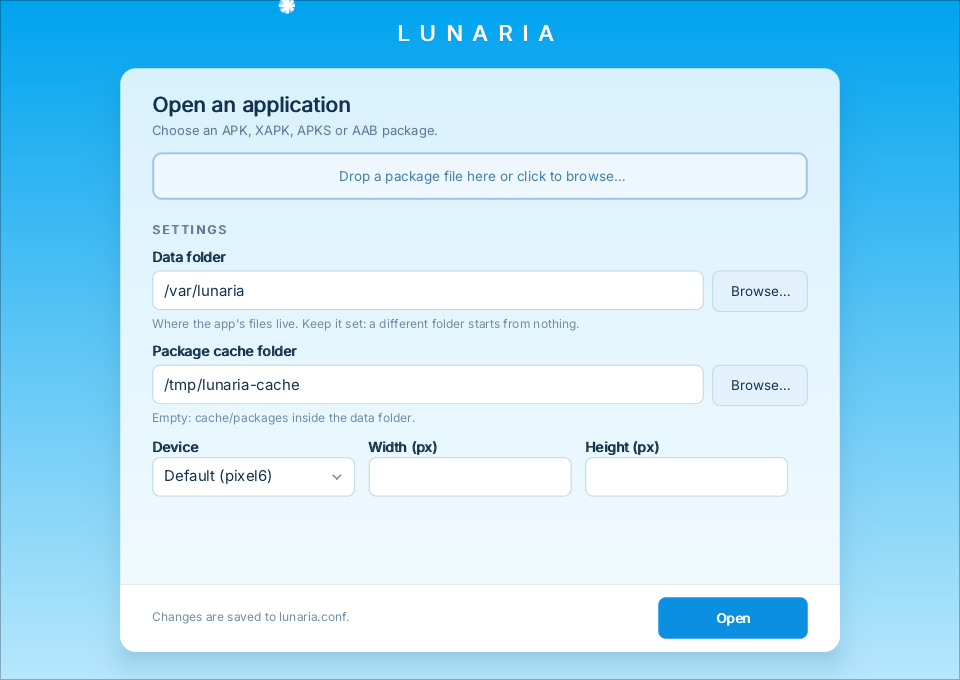 THE DESKTOP LAUNCHER
Keep using the desktop app you know. The terminal interface is an extra way in — not a replacement.
Meet your keyboard-friendly sidekick
Use a straightforward CLI for scripts and one-off launches, or open the full-screen dashboard to browse packages, revisit recent apps, and check host diagnostics.
Read the CLI guide✦ STUBUIKA Android apps, at home on your desktop
A little more room to play.
Load Android packages directly — no full virtual device required.
↑/↓ or j/k move Enter open q quit
An interface preview. Runtime and graphics status are detected on your own machine.
Bring a package along
We look up GitHub Releases live, so you only see files that are actually available. No release yet? The source build instructions are ready below.
✿ Checking the latest releases…
git clone --recurse-submodules https://github.com/flessan/stubuika.gitAssets and versions are retrieved from the public GitHub API. Package support does not imply every app will run successfully.
A path through the meadow
Come say hello
Try it, tell us what happened, and help make the path smoother for the next person.